
Scan Your Home Once. Understand Every Moving Estimate You See.
Use a quick AI room scan to build a real inventory, then keep this moving estimate guidance hub open as you read line items, sanity‑check prices, and plug your data into MoveCost calculators, city cost pages, and quote tools.
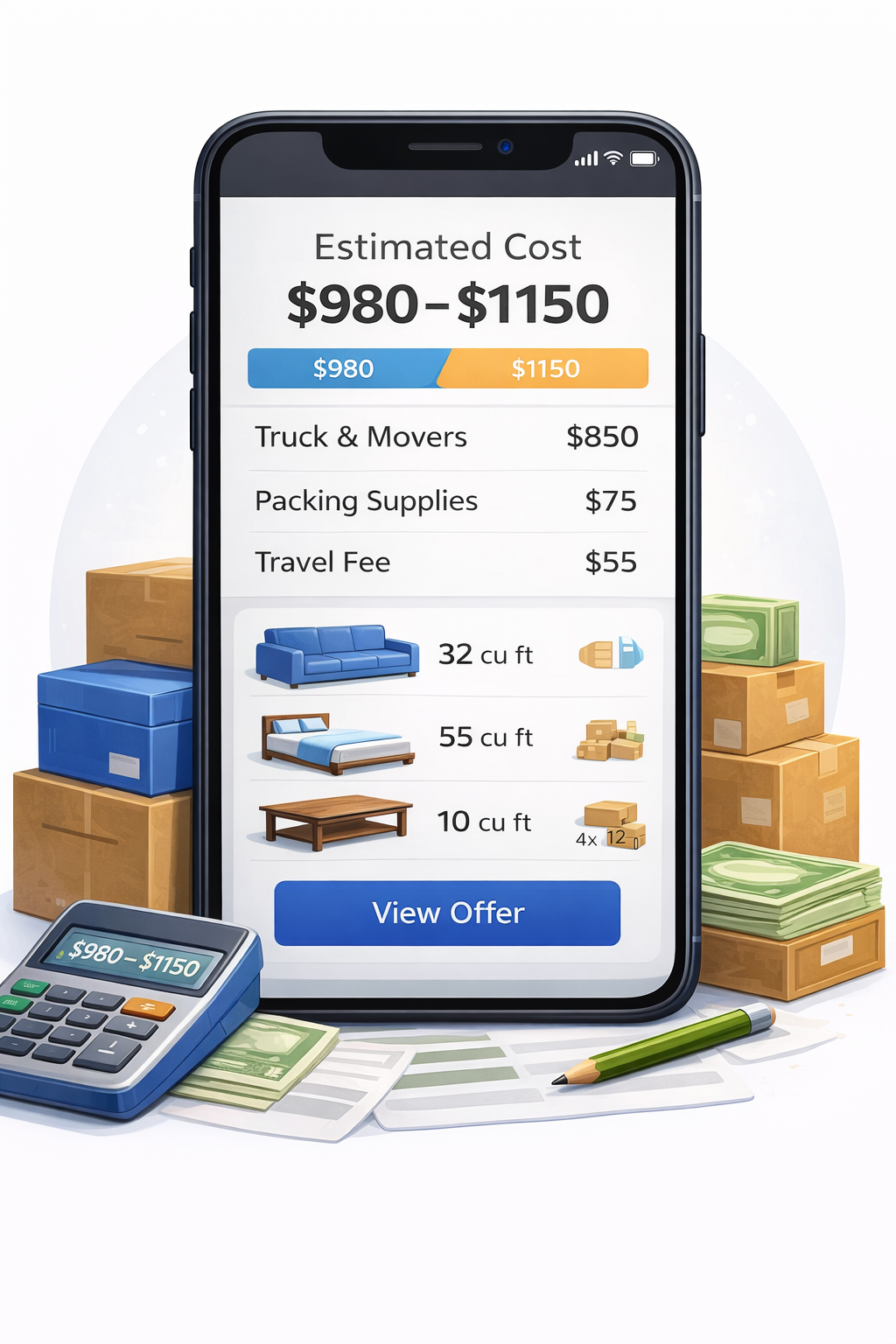
Moving Estimate Guidance Hub – Understand Any Moving Quote with One AI Scan | MoveCost.ai
This Is the Moving Estimate Guidance Hub — Not a Calculator, Not a City or Quote Page
Use it to understand how estimates work everywhere on MoveCost.ai. Use other URLs when you want live numbers or city‑specific data. To keep the site clear for users and search engines, each major MoveCost page has a specific job. This URL is the moving estimate guidance hub: • It explains how movers and tools turn your inventory into an estimate. • It shows you how to read line items and avoid common pitfalls. • It tells you which other MoveCost pages to use for numbers, routes, or cities, without duplicating their cost tables or quote flows. How this hub differs from other key pages: • AI Moving Cost Calculator Online Free • Role: central AI scan + cost calculator hub. • Use when: you want an actual cost range based on your scan. • How it connects here: you start or update your scan there, then come back to this page to interpret what that estimate really means. • Moving Cost Calculator by State and City • Role: route‑aware calculator for any origin/destination pair. • Use when: you want to see how route and cities change your numbers. • This hub’s role: help you judge whether those route‑specific estimates look complete and how to compare them against mover quotes. • State to State Moving Cost Calculator Online • Role: interstate hub for any pair of states. • Use when: you’re planning state‑to‑state or cross‑country moves. • This hub’s role: teach you what to check in long‑distance estimates (linehaul vs accessorials, delivery windows, weight/volume). • Home‑size & access tools (3‑bedroom calculator; average cost to move a 4BR cross‑country; stairs/elevator calculator) • Role: explain how particular home sizes or stairs/elevators affect cost. • This hub’s role: give you a generic estimate-reading playbook that you can apply to any of those sizes or access scenarios. • City & cost hubs (for example, Moving Cost in Miami; Moving Cost in Chicago) • Role: give city‑specific 2026 price patterns and scenarios. • This hub’s role: explain how to interpret any estimate you see on those city pages without duplicating their local tables. • City quote/comparison pages (for example, Moving Quotes in Miami; Moving Quotes in Chicago) • Role: send your AI inventory to multiple movers in that city and show quotes side by side. • This hub’s role: help you read and compare those quotes fairly. So: • Calculators and city/route hubs = where you get or contextualize numbers. • Quote/comparison pages = where you request and compare offers. • This page = where you learn how moving estimates work and how to read them across the entire MoveCost network, including Miami, Chicago, state/city calculators, and long‑distance tools. That intent separation makes this URL a distinct, linkable guidance hub for “moving estimate guidance” instead of another city or calculator variant.
This Page Teaches You How to Use Estimates — Other Pages Generate the Numbers
Scan on the AI hub, calculate on tools and city pages, then come back here to make sense of what you see. If you’ve ever bounced between several cost tools and city pages and felt like they were all doing the same thing, this section is for you. On MoveCost: • Calculators (AI hub, state‑to‑state, state & city, 3‑bedroom, 4‑bedroom, stairs/elevator, student) are where you enter your details and get an estimate or range. • City and cost hubs (for example, Moving Cost in Miami, Moving Cost in Chicago) are where you see how those numbers behave in particular metros in 2026. • Quote/comparison pages (for example, Moving Quotes in Miami, Moving Quotes in Chicago, and the national compare‑quotes hub) are where you turn your inventory into live offers from movers. • This moving estimate guidance hub is where you: • Learn what a good estimate should include (inventory, access, route, services). • Learn how to check an online estimate or mover quote against calculators and city baselines. • Learn how to avoid common mistakes like comparing only hourly rates, ignoring hours, stairs, elevators, parking, or delivery windows. A simple way to use everything together: 1. Scan your home via the AI Moving Cost Calculator hub so you have a real inventory. 2. Run 1–2 calculators that match your situation (local, state & city, state‑to‑state, 3‑bedroom/4‑bedroom, stairs/elevator). 3. Open a city hub if relevant (for example, Miami cost, Chicago cost) to see local 2026 examples. 4. Come back to this page with those estimates and any quotes on your screen. Walk through the checklists and line‑item sections below. 5. Adjust your inputs (dates, items, services) and rerun calculators or quote requests until the patterns make sense. The goal isn’t more pages—it’s one shared estimate playbook that you can apply no matter which MoveCost calculator or city page you’re using.
Three Steps to Smarter Moving Estimates with One AI Scan
Build one inventory, run multiple tools, then use this hub to interpret everything. You don’t need a spreadsheet or multiple in‑home visits to get moving estimates you can actually trust. If you can walk through your home with your phone, you can: 1) Build a reusable inventory 2) Generate realistic estimates from calculators and city hubs 3) Turn those estimates into a clear plan using this guide
What to Capture Before You Trust Any Moving Estimate or Quote
Pair your AI scan with these details so calculators and movers are pricing the same job. A realistic moving estimate—whether it comes from a MoveCost calculator, a city cost hub, or a mover—depends on how completely you describe your move. This checklist turns your AI scan into a full picture of what’s being priced. Use it while you scan and again when you read any estimate: Include every space that’s moving in your scan: main rooms, closets, hallways, balcony/patio, basement, attic, garage, and off‑site storage. Call out big, heavy, or fragile items: glass or stone tables, large TVs, treadmills, pianos, safes, big bookshelves, gym machines, large plants or aquariums. Describe stairs and elevators at both homes: number of floors, whether there’s a freight or passenger elevator, and whether movers must use stairs or long interior hallways. Explain parking and loading: driveway vs street vs alley vs loading dock, garage height limits, and how close a truck or van can realistically park. Decide what won’t move: mark items you’ll sell, donate, or leave behind and update your inventory so estimates don’t include furniture you’ve already removed. Choose a service level: will movers just load/drive/unload, or also pack boxes, disassemble furniture, and handle specialty items? List building/HOA rules: move‑in/move‑out hours, elevator reservations, required certificates of insurance, deposits, and any blackout dates or weather rules. Have at least a rough date window: note whether you can move mid‑week instead of weekend, or off‑peak instead of peak months, then test how that changes calculator outputs and quotes. Keep your AI inventory and notes consistent: use the same information on every MoveCost tool and with every mover so differences in estimates reflect mover strategy—not missing data.
How to Read Moving Estimate Line Items (and Spot Gaps)
Map every line back to your AI inventory, access, route, and services. Once you’ve scanned your home and run calculators—or collected quotes—you’ll see similar line items repeated. This section shows how to ground each one in what your AI scan captured.
How to Use This Guidance with Miami, Chicago, and Other City Cost Pages
City pages show local patterns; this hub explains how to read those patterns without repeating their tables. MoveCost has rich city hubs—like Moving Cost in Miami and Moving Cost in Chicago—and city quote/estimate pages that dive deep into local building rules, traffic, and 2026 price bands. This page doesn’t try to replicate those details. Instead, treat them like this: • City cost hubs (for example, Miami/Chicago cost pages) • What they do: show local 2026 ranges, common routes, and how neighborhood and building types change cost. • How this hub helps: once you see a table or pattern on a city page, come back here to check whether your own estimates and quotes: – Include the same categories of cost (labor, truck, access, extras) – Are clearly tied to your AI inventory and building conditions – Sit in a reasonable place inside that city’s low‑to‑high bands. • City quote pages (for example, Moving Quotes in Miami; Moving Quotes in Chicago) • What they do: turn your AI inventory into multiple city‑specific quotes on one screen. • How this hub helps: give you a neutral checklist for reading each quote line by line, so you can see why two Miami quotes or two Chicago quotes might differ—and whether those differences are about scope or just price. • City estimate pages (for example, Moving Estimate in Miami, Moving Estimate in Chicago) • What they do: explain estimate structure in a given city, with local access and weather examples. • How this hub helps: make sure you understand those concepts even when you’re not looking at any one city; you can apply the same logic from Miami or Chicago to another market using state/city calculators. That keeps the city pages focused on local content and this URL focused on universal estimate guidance, which reduces duplicate‑intent risk and gives search engines a clean cluster: city hubs for “[city] moving cost/moving quotes”, and this page for generic “moving estimate guidance” and “how to read estimates.”
Examples: How to Use This Hub with AI Hub, State/City Tools, and City Pages
A few concrete journeys so you can see where this page fits without duplicating other URLs. Example 1 – Staying local, using a city cost hub 1. Scan your home on the AI Moving Cost Calculator hub. 2. Open Moving Cost in Chicago, IL (2026 Guide) or Moving Cost in Miami, FL (2026 Guide) and see where your home size and route sit in local cost tables. 3. Use this page to check that your calculators and mover quotes: • Match your AI inventory (no missing basement/balcony/storage). • Include access details (stairs, elevators, docks, parking) that those city pages emphasize. • Break costs into labor, truck/travel, and extras the way this hub teaches. Example 2 – Leaving a city for another state 1. Scan once on the AI hub. 2. Run the State to State Moving Cost Calculator Online and Moving Cost Calculator by State and City for your likely origin/destination pairs (for example, Chicago → another state, Miami → another state). 3. If your origin is New York or Miami and you’re chasing cheaper states, read Cheapest States to Move to in the US in 2026 or Cheapest States to Move to From New York for context. 4. Use this hub to interpret each interstate estimate: linehaul vs accessorials, delivery windows, and how much of the number is driven by volume vs distance. Example 3 – First big home move (3BR or 4BR) 1. Scan your 3‑ or 4‑bedroom home on the AI hub. 2. Open the 3‑Bedroom House or 4‑Bedroom Cross‑Country pages to understand typical cost and planning for those home sizes. 3. Use the stairs/elevator calculator if access is complex. 4. Come back to this page and make sure any estimates or quotes written against that inventory: • Include everything in the 3BR/4BR scenario (garage, patio, storage). • Clearly account for big items and any special handling. • Match what you’ve learned here about binding vs non‑binding terms, deposits, and coverage. In every case, the pattern is the same: • Scan and calculate elsewhere on MoveCost. • Learn and sanity‑check here. • Return to calculators, city hubs, or quote tools with clearer questions and expectations.
How It Works

1. Scan Your Room With Your Phone
Walk around your space and scan your items in seconds.
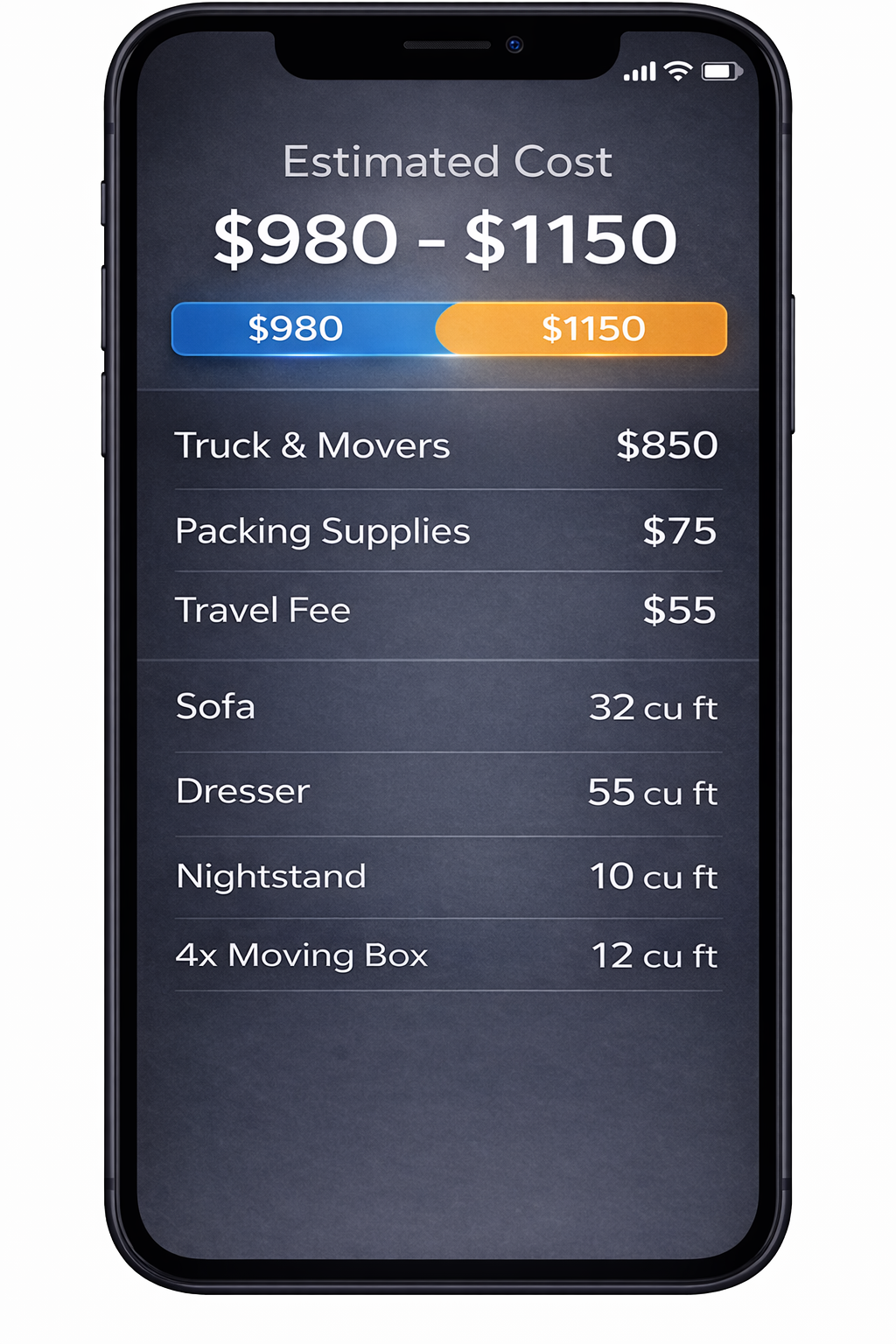
2. AI Detects Your Items
We identify your items and calculate volume for a clearer estimate.
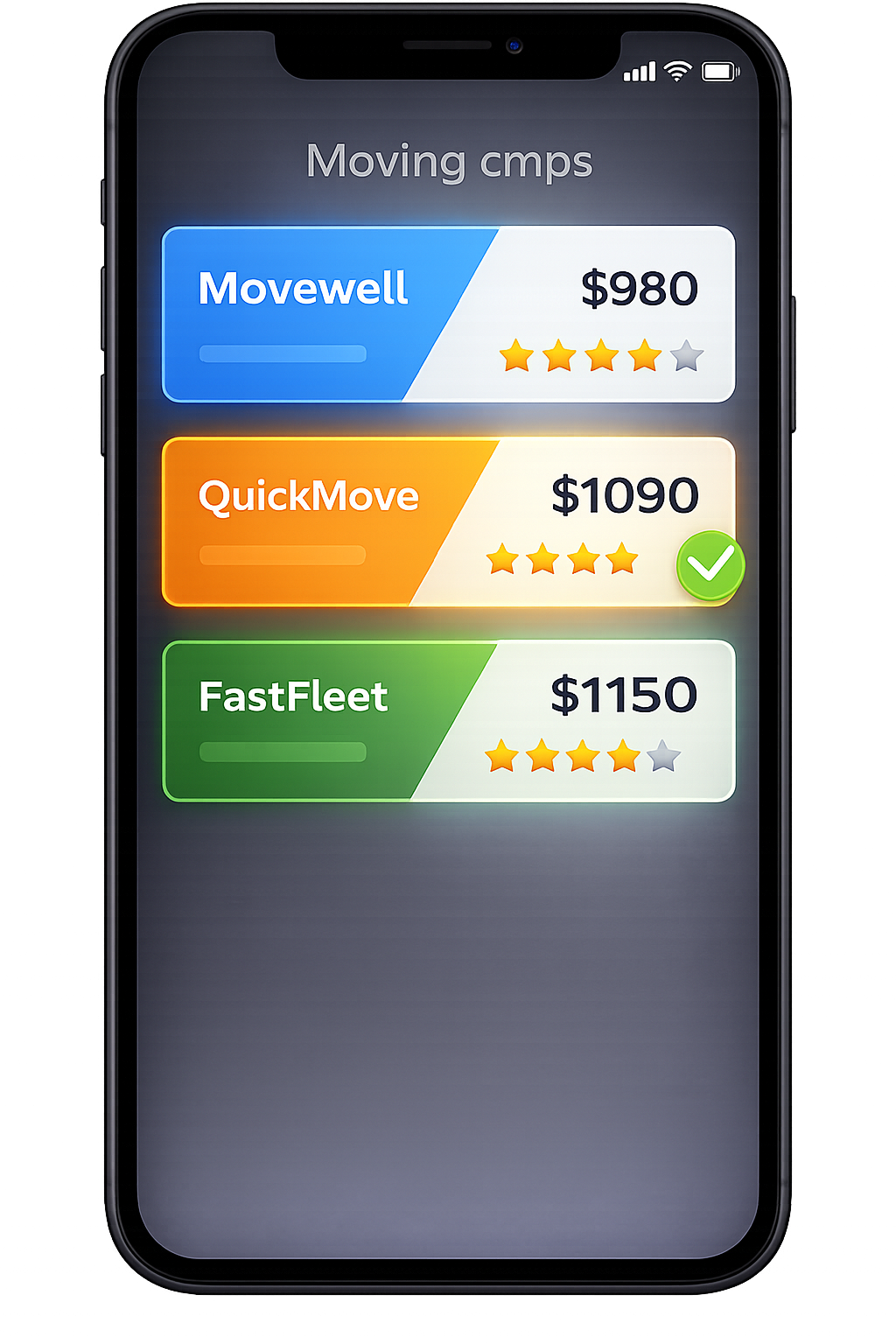
3. Compare Multiple Quotes
Compare verified mover quotes from the same scanned inventory.
Frequently Asked Questions
How is this moving estimate guidance hub different from your calculators and city pages?
Calculators and city pages are about numbers and local context; this hub is about understanding and evaluating those numbers. Use calculators (AI hub, local near‑me, state & city, state‑to‑state, 3‑bedroom, 4‑bedroom, stairs/elevator, student) when you want a moving cost range for a particular route or home profile. Use city and cost hubs (for example, Miami moving cost, Chicago moving cost) when you want to see how those ranges typically behave in a specific metro in 2026. Use this hub when you: Want a neutral checklist for building an inventory and describing access before trusting any estimate. Need help reading line items (labor, truck/travel, access, packing, storage, special items). Are comparing numbers from different calculators, city hubs, and movers and want to know if they’re really pricing the same scope or not. That separation keeps this page from duplicating calculators or city content and makes it the main educational resource linked from across MoveCost when the topic is “moving estimate guidance” or “how to read my moving quote.”
Where should I start if I’ve never gotten a moving estimate before?
A simple, low‑stress sequence is: 1. Read the checklist section on this page so you know what data movers and calculators need (rooms, access, rules, services). 2. Run an AI scan on the AI Moving Cost Calculator Online Free hub to create a real inventory. 3. Use 1–2 calculators that match your move type (local vs interstate; 3‑bedroom vs 4‑bedroom; stairs/elevator if relevant). 4. Optionally open a city cost hub (for example, Miami or Chicago) if your move involves one of those metros. 5. Come back here and walk through the line‑item and pitfalls sections while you look at your estimate(s) on screen. From there, you can decide whether to collect formal quotes via city quote pages, the compare‑quotes hub, or direct movers—using this guidance as your playbook while you read every offer.
How does AI-based inventory improve the quality of my moving estimates?
AI-based inventory turns “2 bedrooms and some boxes” into a structured list of what movers actually lift and carry. Instead of relying on memory or rough room counts, the AI sees: Actual furniture (sofas, beds, tables, dressers, wardrobes, shelving, desks) Rough box clusters in each room or storage space Large or unusual items that affect time and handling That matters because movers and calculators usually price based on: Volume or weight of your shipment Handling effort (stairs, elevators, long walks, tight corners) Route distance and likely drive time When your estimate is tied to an AI inventory rather than guesses, you’re less likely to: Under‑estimate how much you own and end up with under‑scoped jobs and surprise increases. Over‑estimate and pay for unused truck space or hours you don’t need. Forget entire areas like garages, balconies, or storage units that show up on move day as “extra.”
How should I use this page with the Moving Cost Calculator by State and City?
The Moving Cost Calculator by State and City answers route questions (“What does this origin/destination pair usually cost for my inventory?”). This hub answers interpretation questions (“What exactly is this estimate telling me, and what might be missing?”). A good combined workflow: 1. Scan your home on the AI hub and run the state & city calculator for your top routes. 2. Note each estimate’s range, route explanation, and any assumptions. 3. Come back to this page and: Check whether each estimate clearly references your full inventory and both addresses. Compare line items against the bullets in the “How to read line items” section. Make a list of follow‑up questions to ask movers or to refine your calculator inputs (for example, about packing, stairs, or delivery flexibility). This keeps the state & city calculator focused on route math while this page helps you judge and use those outputs wisely.
How does this page relate to city/cost hubs like Miami or Chicago and to city quote pages?
City hubs and quote pages are location‑specific leaves in the content cluster; this page is a location‑neutral hub for estimate education. City cost hubs (for example, Moving Cost in Miami, Moving Cost in Chicago) show 2026 price bands and examples for that metro. They answer “what does moving typically cost here?” City quote pages (for example, Moving Quotes in Miami, Moving Quotes in Chicago) let you send your AI inventory to multiple movers in that city and compare offers. This hub explains how to read any of those estimates or quotes, no matter which city or route they come from. Internal links run both ways: city pages link back here when they say “learn how to interpret your moving estimate,” and this hub points out when it’s time to open a city or route page instead of asking it to behave like one. That structure signals clearly to search engines that this URL is the generic moving‑estimate guidance resource, distinct from city‑specific cost or quote content.
Do I still need to talk to movers after using this guidance and MoveCost calculators?
You can do a lot without phone calls: scan, run calculators, compare ranges, and even receive many quotes in writing. But there are still good reasons to speak with a mover directly, such as: Clarifying unusual items or building rules Discussing tight schedule constraints or specific delivery windows Asking how they handle storage in transit, insurance, or complex access This hub’s job is to make those conversations easier and shorter by giving you: A clean inventory and access story to share A list of line items and pitfalls to watch for A sense of what “normal” looks like for your home size and route You might use the Instant Moving Quotes Without Phone Calls page to collect offers quietly first, then schedule one or two short, well‑focused calls with your top candidates once you know what to ask.
What should I do if two movers give very different estimates for the same inventory?
Start by anchoring to your AI inventory and this hub’s checklists: 1. Confirm that both movers saw the same inventory and access details you built on MoveCost. If one didn’t see your storage unit, stairs, or elevator rules, that alone might explain the gap. 2. Compare line items: Hours and crew size vs your home size and building conditions How each mover treats truck/travel or long carries Whether packing, materials, or special handling are included or extra. 3. Check estimate type and terms: binding vs non‑binding, deposits, and basic coverage. If a quote is far below others and appears to ignore stairs, elevators, parking, or entire spaces, use the questions and examples on this hub to ask for clarification. If a quote is far above others but includes more services (for example, full packing and a more direct route), this hub helps you see whether that added value is worth the higher price for your situation.
How does this page help search engines understand the structure of MoveCost.ai?
Internally, this URL is treated as the moving estimate guidance hub in the MoveCost cluster: Calculators (AI hub, state & city, state‑to‑state, home‑size, stairs/elevator, student) link here when they need to explain how estimates work, not when they’re showing numbers. City hubs (for example, Moving Cost in Miami or Chicago) link here as the general “how to read an estimate” reference instead of recreating the same guidance. Quote/comparison pages link here when they teach users how to compare offers fairly. At the same time, this page avoids duplicating city‑specific ranges or calculator tables. That combination of focused content and consistent internal linking gives search engines a clear message: this URL is the canonical resource for ‘moving estimate guidance’ and estimate‑reading education across the site, while other URLs remain the canonical sources for city costs, quotes, or calculator results.