
Scan Your Home Once, Compare Moving Quotes Across the US
Use MoveCost.ai as your national quote comparison hub. Scan your home with your phone, let AI build a reusable inventory, and compare local and long‑distance movers online—then jump into city and route pages like Chicago, Atlanta, or Miami without re‑entering a single item.

National Moving Quote Comparison – Scan Your Home & Compare Movers Online | MoveCost.ai
One Hub for Local, Regional, and State‑to‑State Quote Comparisons
Scan once, then compare movers serving your route—whether you’re staying in‑state or moving across the country. This page is built to help you compare movers anywhere in the US using a single, AI‑generated inventory. Once you’ve scanned your home, you can: • Compare quotes for local city moves (for example, short routes in Chicago, Atlanta, or Miami) • Explore regional moves within a state or neighboring states (for example, suburbs to a nearby metro) • Evaluate state‑to‑state moves (for example, New York → a cheaper state, California → Florida, or Miami → Atlanta) Instead of running separate quote forms on every city page, you: 1. Scan your home once here or on the AI hub 2. Attach your origin and destination—city, state, and rough date window 3. Let MoveCost surface movers that serve that route and can price your inventory fairly You can then jump into city hubs for more local nuance: • Want Chicago detail? Use your inventory on Moving Estimate in Chicago for apartment‑style guidance. • Planning around Atlanta? Use Atlanta Moving Quotes to see how AI‑based quotes behave in that metro. • Starting or ending in Miami? Use your scan with the Miami moving cost, estimate, quotes, local, and long‑distance pages. Wherever you go next, this national hub is the place that knows “here’s who can move this inventory on this route” across the country.
From One AI Room Scan to Comparable Quotes Across Multiple Cities and Routes
Designed so you can set your inventory once, then reuse it on any MoveCost page that talks about quotes or estimates. When you use this page as your national moving quotes hub, you’re really doing three things: creating a reusable inventory, picking a route, and letting movers respond to the same, standardized picture of your move. Here’s how the flow works:
Use This Hub First, Then Dive into City Pages for Local Detail
Your AI inventory doesn’t change—only the local guidance does. Once you’ve created your inventory on this national hub, you don’t need a new scan every time you want a city‑specific view. Instead, you reuse what you’ve already built and open the city pages that match where you’re moving. Here’s how that looks with a few MoveCost examples: Chicago – Moving Estimates & Local Detail Atlanta – Local Quote Examples Miami – Full City Cluster
Why Start Here Instead of Going Straight to a City Page
Because your inventory should come first, and your destination might change. If you’re still deciding between staying local, moving to another city, or even switching states, a national hub saves you from rebuilding your move three times. On this page you: • Build an inventory that can support local, regional, and interstate comparisons • See how multiple movers view your move without committing to a single city or state page yet • Keep all your inventory updates—selling furniture, adding a storage unit, changing dates—in one place Then you can: • Use local calculators when you want precise city pricing • Use state‑to‑state calculators when you want route comparisons • Use city hubs when you want examples and education for a specific metro You don’t have to know your final city or route to start comparing movers fairly. This hub lets you line up quotes and cost expectations even while your plans are still coming together.
Quick Checklist for a Better National Moving Quote Comparison
Spend a few minutes preparing so every quote you see is based on a clear view of your move. You don’t need to clean your home or measure every item. A little bit of prep makes your scan—and your national quote comparison—much more useful. Decide which rooms, closets, storage areas, balcony/patio, and garage spaces are actually moving. Roughly confirm your origin and any likely destinations (cities or states) you want to compare. Check building rules at your current and potential new homes: elevators, loading docks, move‑in hours, COIs. Group loose items into boxes or piles where possible so the AI can see volume rather than scattered clutter. Make a short note of unusual pieces—pianos, oversized TVs, large aquariums, very heavy gym equipment. Think about timing: which weeks or months could work, and whether you can move midweek instead of a peak weekend.
How It Works

1. Scan Your Room With Your Phone
Walk around your space and scan your items in seconds.
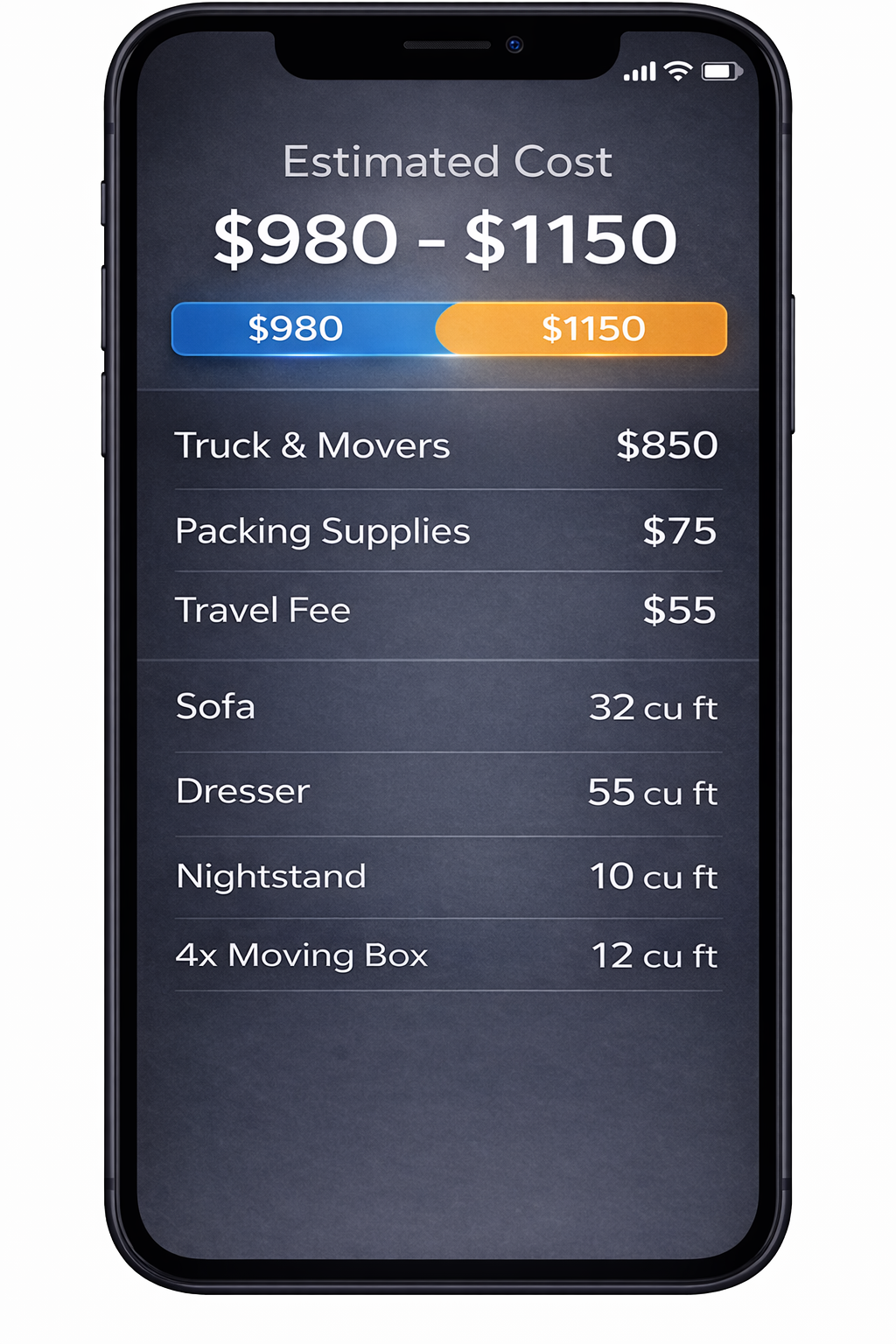
2. AI Detects Your Items
We identify your items and calculate volume for a clearer estimate.
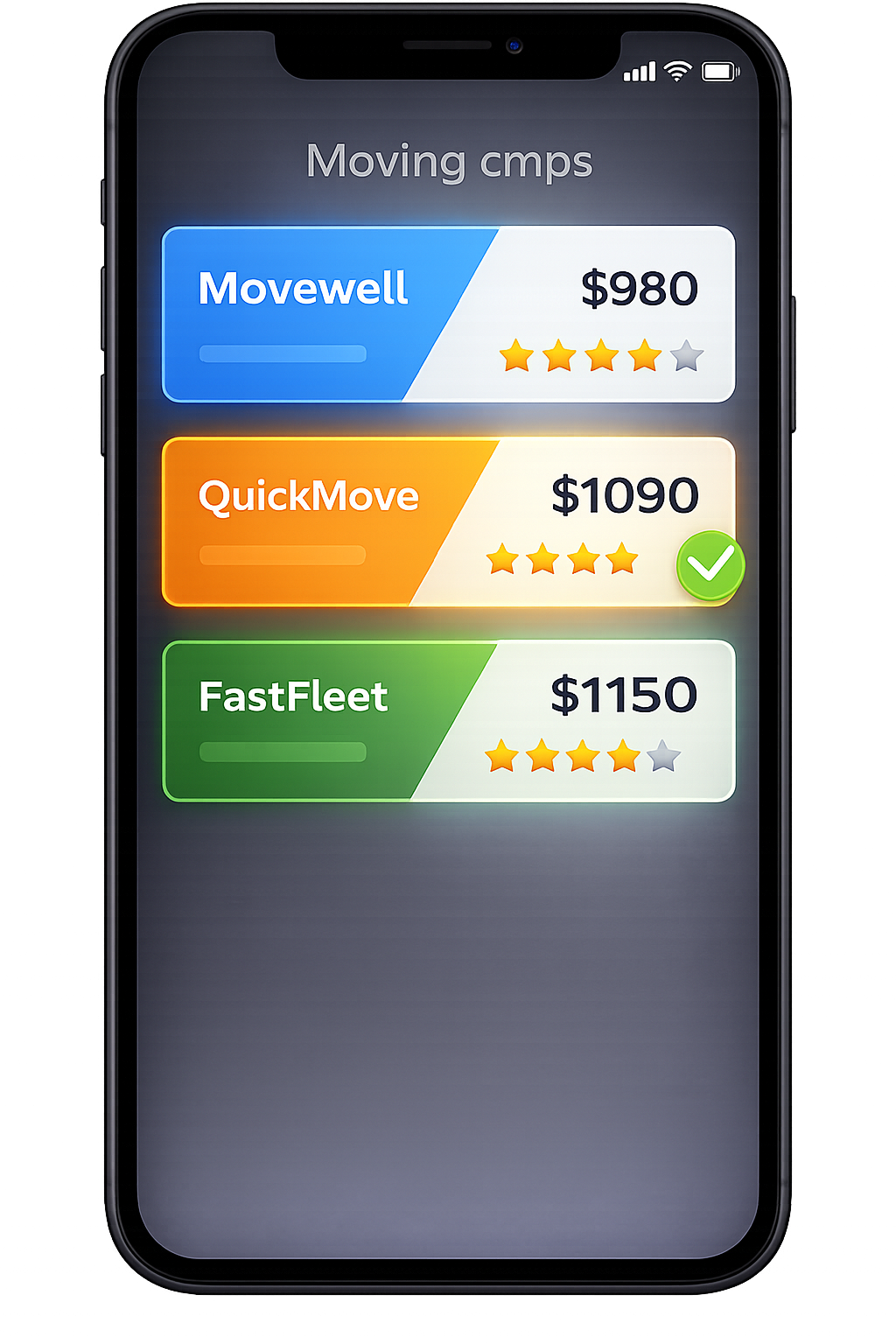
3. Compare Multiple Quotes
Compare verified mover quotes from the same scanned inventory.
Frequently Asked Questions
What makes this page different from your city quote pages like Miami or Atlanta?
City pages (for example, Moving Quotes in Miami or Atlanta Moving Quotes) focus on one metro—they explain how local streets, building rules, and short routes affect quotes in that city. This page is the national moving quote comparison hub. Its job is to: Help you create a single AI-based inventory you can reuse anywhere on MoveCost.ai Let you compare movers for local, regional, and interstate routes from that one inventory Point you to city and route pages when you want deeper local context City hubs will often link back here with anchor text like “compare movers nationally” or “national moving quote comparison” when they want to give you a broader set of options beyond one metro.
Do I need a separate scan for each city or state I want quotes in?
No. One of the main reasons this national hub exists is so you don’t have to rescan your home every time you change your mind about the destination. You scan your current home once, build an AI inventory, and then: Attach different origin–destination pairs (for example, your current city → Chicago, your current city → Atlanta, your current city → Miami) Reuse the same inventory on local, state‑to‑state, and city quote pages without repeating the scanning process If your belongings change significantly—selling large furniture, adding a storage unit—you can update your inventory once and carry that update everywhere.
How does this national hub work with the AI Moving Cost Calculator and the comparison explainer page?
The three pages play distinct roles: AI Moving Cost Calculator Online Free is your scan & baseline estimate hub. It’s where most people first learn what an AI inventory is and see an initial cost range for their route. Compare Moving Company Quotes Instantly Online is the explanatory comparison hub. It teaches you how side‑by‑side comparison works and what to look for in quotes, in more detail than a single page like this can. This national comparison hub is the practical starting point when you know you want to compare movers nationally and reuse that scan across cities and routes. You might start your scan on the AI hub, come here to attach multiple origin–destination pairs, and open the comparison explainer whenever you want a deeper explanation of what you’re seeing.
Can I still use this page if I already have some quotes from individual movers?
Yes. If you already collected quotes directly from movers or other sites, you can still: 1. Run an AI scan here to build a structured inventory of your home. 2. Enter the same route you gave those movers. 3. Request additional quotes based on the standardized MoveCost inventory. Then you can compare your earlier quotes against new, inventory‑backed offers and see: Whether earlier estimates assumed less or more volume than you actually have How new movers handle access, stairs, elevators, or long carries in writing Whether your previous quotes sit inside or outside the range that inventory‑based movers are quoting now
What kinds of moves can I compare from this national hub?
You can use this hub to compare quotes for: Local moves inside one metro (with or without linking into a city page) Short‑distance regional moves within a state or between nearby cities State‑to‑state moves and longer cross‑country routes The AI inventory itself is agnostic: it only cares what you own and how movers will access it. The tools you plug it into—local calculators, state‑to‑state calculators, or city hubs—decide whether your move is treated as local, regional, or interstate.
Does MoveCost share my scan video with movers, or just the inventory?
Movers see your structured inventory and access notes, not your raw video. The scan video is processed by the AI to detect items and estimate volume, then converted into a list and basic metrics movers can work with. That list typically includes: Item categories and counts by room (for example, 1 queen bed, 1 3‑seat sofa, 12 medium boxes) Approximate volume and weight estimates Your access notes (stairs, elevators, long carries, parking type) You remain in control of which movers can see that information and when they can contact you.
What if my plans change and I move locally instead of to another state (or vice versa)?
If your destination type changes but your belongings largely stay the same, you don’t need a new scan. You can: Update your route in the hub (for example, switching from a state‑to‑state move to a different city in your current metro). Reuse your existing AI inventory on the relevant tools: local calculators, state‑to‑state calculators, or city pages. Request a fresh round of quotes based on the new route while keeping the same item list. If you add or remove significant items—like clearing a storage unit, selling a big sectional, or acquiring new furniture—you can update your inventory once here, then carry that updated list into any scenario.
How does this page help search engines understand that it’s a national comparison hub and not a local page?
This page is written and linked to as the national moving quote comparison hub: It explicitly describes its role relative to the AI Moving Cost Calculator hub, the comparison explainer page, and city/route pages like Chicago, Atlanta, and Miami. It uses language like “national moving quote comparison” and “compare movers nationally” that local pages reuse when they want to point users up a level. Internal links from AI, comparison, and city hubs treat this URL as the place you go when your question is about comparing movers across multiple cities or routes, not just one. That combination of unique intent, national framing, and structured links helps search engines recognize this URL as the primary national comparison hub rather than another city or route leaf.