
Compare Moving Company Quotes Instantly Online—From One AI Scan
Turn a single home walkthrough into a standardized moving inventory and see multiple mover quotes side by side online—so you can compare prices, services, and timing without repeating your details or fielding endless calls.

Compare Moving Company Quotes Instantly Online – One AI Scan, Multiple Movers | MoveCost.ai
What It Really Means to Compare Moving Company Quotes Instantly Online
On most sites, “compare quotes” means filling a form and waiting for calls. On MoveCost, it means one AI scan, one inventory, and clear, on-screen comparisons across multiple movers. When you search for ways to compare moving company quotes instantly online, you typically hit lead forms that send your details to multiple movers. The result is a wave of calls and emails—and a stack of estimates that aren’t based on the same information. MoveCost is built to do two things differently: 1. Standardize your move first with an AI-powered home scan that produces a structured inventory and volume estimate. 2. Share that same inventory with multiple movers so every quote is pricing the same job, not a slightly different version. Instead of guessing how big your move is or rewriting your list over and over, you do one scan. We convert it into a move profile that includes your items, access notes (like stairs or elevators), and route basics. Movers that respond are all looking at that same profile. That’s what makes comparisons on this page truly “instant”: you’re not chasing a dozen separate forms—you’re reviewing how different movers price the same AI-backed move in one place.
From AI Scan to Side‑by‑Side Moving Quotes in 4 Steps
This page is about comparison, not just calculation. Here’s what happens between tapping “Start Scan” and seeing multiple quotes online. MoveCost is your comparison layer across all of our calculators and city pages. Whether you come from the AI Moving Cost Calculator, a local price page, or a state‑to‑state tool, these steps are what turn your inventory into comparable quotes.
Instant Online Quote Comparison vs Traditional Phone Estimates
You can still call movers, but an online, inventory-based comparison makes every conversation more efficient. If you’ve ever tried to price a move by calling multiple companies, you know how quickly notes get messy. One mover writes down “1 bedroom, maybe 20 boxes,” another imagines 40. One asks about stairs; another doesn’t. The result is a stack of estimates that are hard to compare. This page shows how to flip that process. You do one AI scan, build one profile, and then: • Use online comparison first to filter down to a shortlist based on price, services, and timing. • Use phone calls or video walk‑throughs second, only with movers who already saw your inventory and access details. To make the difference concrete, here’s how traditional calls and MoveCost comparisons stack up. Online, AI-Backed Comparison (This Page) Phone & In‑Home Estimates
Where to Go Next After You Compare Quotes Instantly Online
This page is the comparison explainer. From here, you can jump into calculators and city guides that use the same inventory for more specific planning. Think of this page as your comparison control tower. Its job is to explain how one AI scan can power many quotes and how to read them side by side. Once that’s clear, your next step depends on what you’re trying to optimize: • Just need a cost range first? You may start or return to the AI Moving Cost Calculator. • Staying local? You may care most about local price differences and access. • Crossing states? You may care about interstate routes and delivery windows. • Looking at a specific city like Miami? You may want concrete, real‑world examples. If You Want a Simple AI Cost Calculator First If You Care Most About Avoiding Phone Calls If You’re Focused on Local Movers Near You
This Is the Comparison Explainer—Not the Main Calculator, Not a City Page
Use it when you’re asking “How do I compare multiple moving company quotes instantly online?” Then move to calculators and city tools for more specific numbers. MoveCost has several pages that talk about prices and movers. To keep each one unique (and to avoid duplicate-intent issues), this page has a very specific job: • AI Moving Cost Calculator Online Free • Role: Primary calculator hub. • Question it answers: “What should my move cost based on an AI scan?” • How it connects here: Once you’ve built your inventory and seen a range, you come here to learn how that same inventory feeds into multi-mover comparisons. • Compare Local Movers Prices in My Area Online & Local Moving Cost Calculator Near Me • Role: Local cost and comparison tools. • Questions they answer: “How do local movers in my area price similar moves?” and “What do local moves near me typically cost?” • How they connect here: They focus on local-only pricing. This page steps back and explains the general comparison framework that works for both local and long‑distance movers. • State to State Moving Cost Calculator Online & Moving Cost Calculator by State and City • Role: Interstate and route calculators. • Questions they answer: “What should it cost to move from State A to State B or from City X to City Y?” • How they connect here: They specialize in route math. This page specializes in how to line up multiple movers once you have that route context. • City pages like Moving Quotes in Miami or Moving Cost in Miami • Role: Concrete local examples. • Questions they answer: “How does this all feel in a real city like Miami?” • How they connect here: They give city-specific numbers and scenarios; this page remains the generic “how to compare quotes instantly online” explainer. So in the MoveCost cluster, this URL is the generic comparison hub: • Calculators answer “what should it cost?” • City pages answer “what does that look like in my city?” • This page answers “how do I compare multiple mover quotes fairly using my AI inventory?”
Where to Compare Moving Quotes Online Next
Use these related MoveCost tools to go from understanding comparison to running it for your route, home size, and city. Once you understand the comparison process on this page, the fastest way to move forward is to open the tools that match your situation. All of them still use the same core idea: one AI scan, multiple movers, cleaner comparisons. The difference is whether they’re focusing on national ranges, local movers, state-to-state routes, or specific cities such as Miami. AI Moving Cost Calculator (National Hub) Instant Quotes Without Phone Calls Compare Local Movers Prices in Your Area Local Moving Cost Calculator Near Me Moving Cost Calculator by State and City State-to-State Moving Cost Calculator Moving Quotes in Miami, FL (City Example Cluster) Cheapest States to Move to in the US in 2026
Quick Checklist for Sharper Instant Quotes from One Scan
A few small steps before you scan make every online quote you compare more meaningful. Your AI scan doesn’t have to be perfect, but it should reflect the real scope of your move. The more complete your inventory and access details, the easier it is to spot outliers when you compare quotes from different movers. Walk every area you plan to move: bedrooms, living spaces, kitchen, garage, storage, balcony or patio, and any off‑site storage units. Include access shots: front door, stairs, elevators, loading docks, long hallways, and tight corners, so movers don’t have to guess at access. Flag special items in your notes after the scan: large TVs, fragile glass tables, artwork, pianos, safes, gym equipment. Decide whether you want packing included or just loading and transport—then keep that choice consistent across all movers you compare. Have a realistic date range ready; comparison works best when movers can propose multiple time windows, not just one exact day. Plan ahead for what will NOT move with you and remove it from your inventory before you start inviting quotes.
How It Works

1. Scan Your Room With Your Phone
Walk around your space and scan your items in seconds.
2. AI Detects Your Items
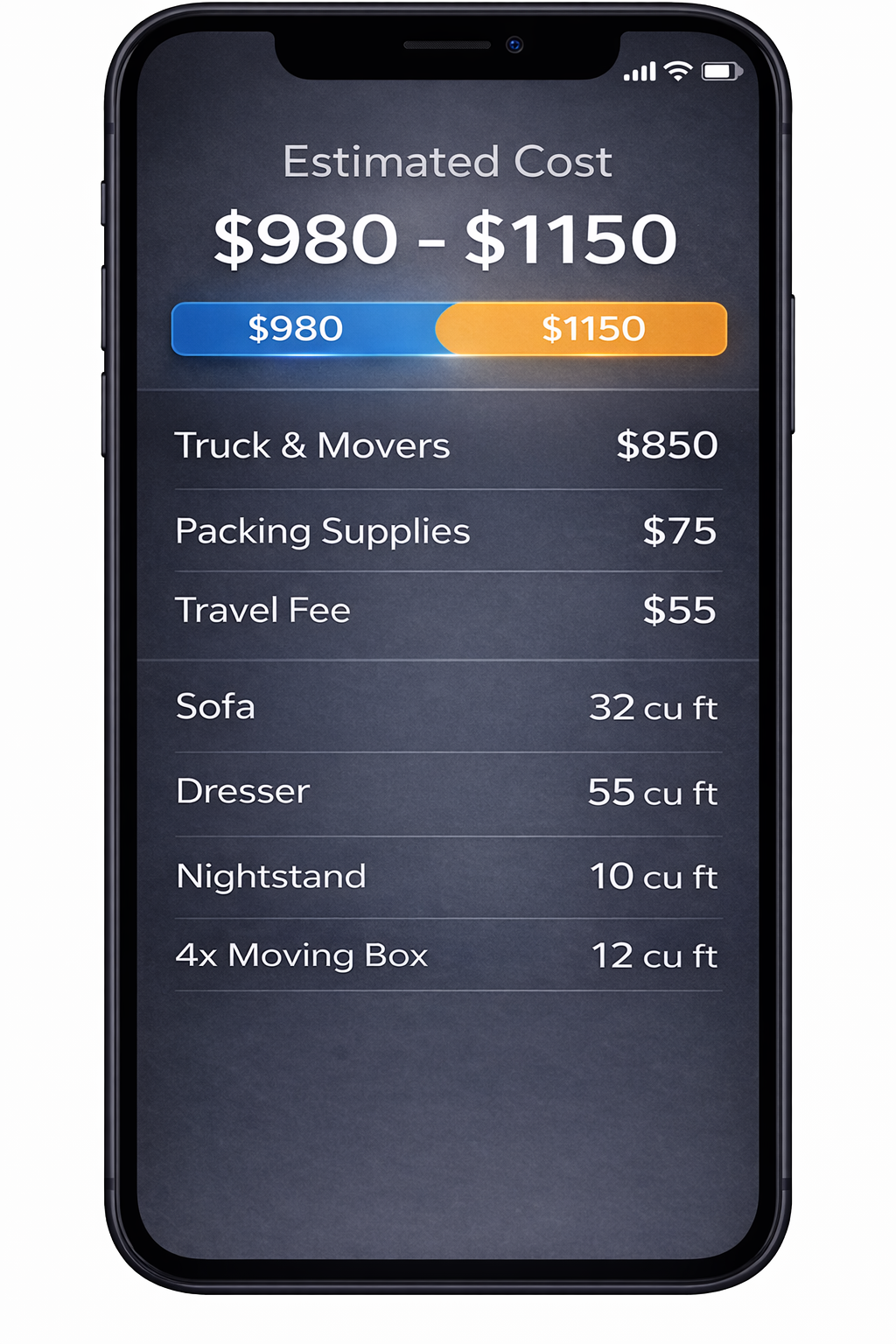
We identify your items and calculate volume for a clearer estimate.
3. Compare Multiple Quotes
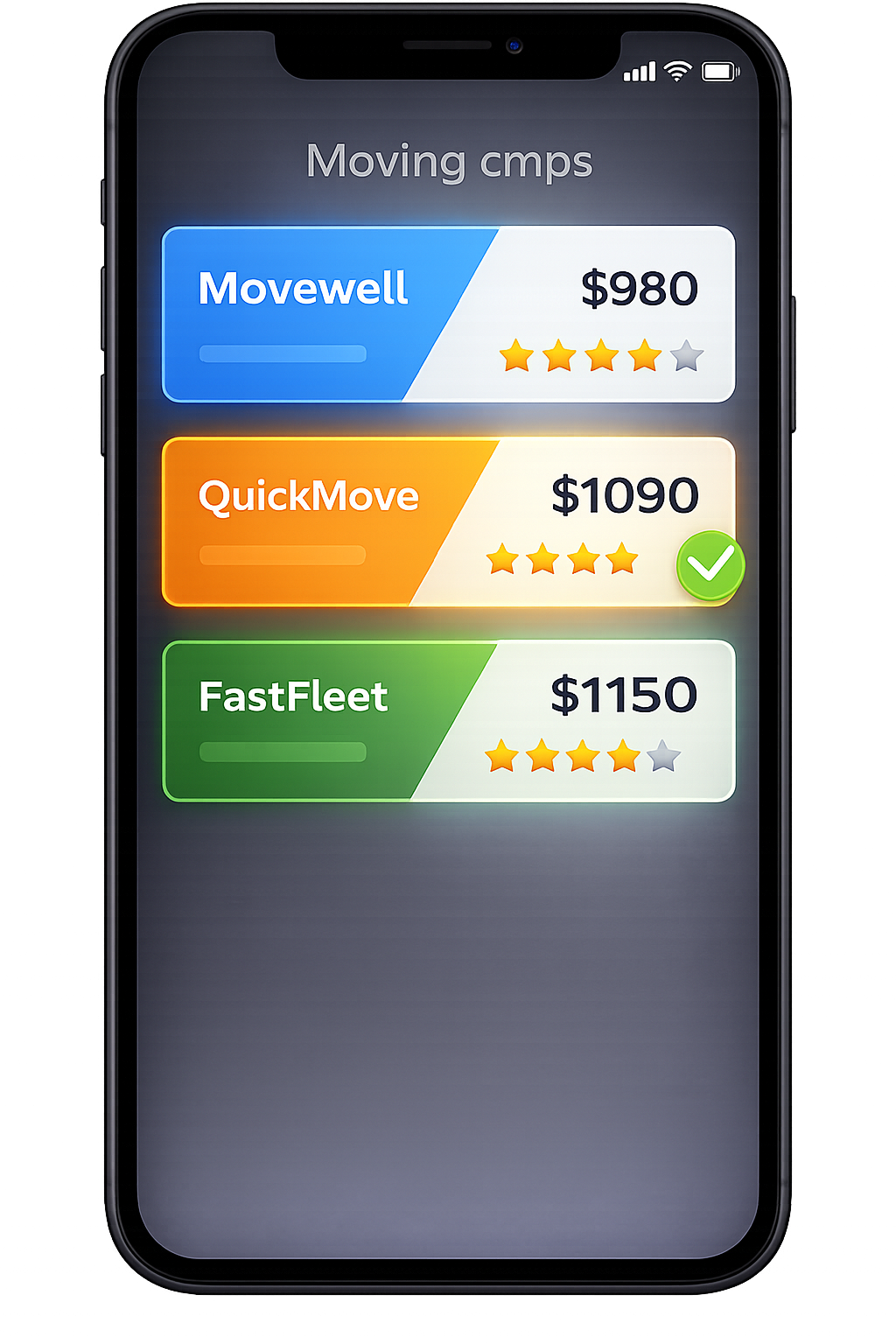
Compare verified mover quotes from the same scanned inventory.
Frequently Asked Questions
What does it mean to compare moving company quotes instantly online with MoveCost?
On MoveCost, “instant” doesn’t mean random numbers from a thin form. It means you can go from scanning your home to viewing structured, side‑by‑side moving company quotes online in a single workflow. You scan your home once with AI, approve a standardized inventory and access profile, and then invite movers to quote against that same profile. As responses come in, you see them in one dashboard where you can sort by total price, services included, estimate type (binding vs non‑binding), and timing. You stay in one place while multiple movers do the work of pricing your AI‑defined move.
How is this comparison page different from the main AI Moving Cost Calculator?
The AI Moving Cost Calculator Online Free is the primary calculator hub—its job is to turn your AI scan into a solid cost range and reusable inventory. This page is the comparison explainer and hub. Its job is to: Show how that same inventory can be shared with multiple movers Explain how to interpret quotes side by side Point you to the right tools (local, state‑to‑state, or city‑specific pages) once you understand the comparison flow In short, you start or confirm your inventory on the AI calculator, and you come here to learn and run fair comparisons between different movers using that inventory.
Can I still talk to movers directly after I compare quotes online?
Yes. MoveCost is designed to reduce repetitive calls, not eliminate conversations entirely. Most people use online comparison to: Get a feel for the price band their move sits in See which movers are transparent about services and access Narrow a long list down to one or two promising options After that, many users choose to speak directly—by phone or video—with one or two movers to confirm details, ask about special items, and finalize scheduling. The difference is that every mover you talk to is already looking at the same AI-backed inventory and access notes, which makes those conversations shorter and more focused.
How accurate are the instant comparisons if my inventory changes?
Your comparisons are only as accurate as your inventory and access details. If those change significantly—because you sell furniture, add a room of items, or lose elevator access—it’s best to: 1. Update your MoveCost inventory and access notes. 2. Let movers know what changed. 3. Ask them to refresh their quotes where needed. Small changes (a few boxes more or less) usually won’t drastically affect the picture. Large changes (adding a storage unit, removing an entire room, or changing from elevator to stairs) can. The advantage of using one AI-backed profile is that you can update it once and carry that corrected view into every comparison instead of re‑explaining your new situation to each mover separately.
Do I need a separate scan for local vs long-distance quotes?
No. The same AI scan can power local and long‑distance comparisons. What changes between local and state‑to‑state scenarios is: How movers structure pricing (hourly vs volume+distance) How delivery windows are framed Which tools you use (local comparison pages vs interstate calculators) MoveCost lets you reuse your inventory across: Local tools (Compare Local Movers Prices in My Area Online, Local Moving Cost Calculator Near Me) Interstate tools (State to State Moving Cost Calculator Online, Moving Cost Calculator by State and City) City examples (like the Miami cluster) You don’t need separate scans—just a single, accurate one that you can apply wherever you want to explore costs and quotes.
Where should I start if I’m just beginning to research moving costs and quotes?
If you’re early in your planning, a simple path is: 1. Use the AI Moving Cost Calculator Online Free to build your inventory and get a first cost range. 2. Skim this page to understand how multi‑mover comparison works and what to look for in quotes. 3. Decide whether you’re focusing on local, interstate, or a specific city and open the relevant tools: Local: Compare Local Movers Prices in My Area Online; Local Moving Cost Calculator Near Me. Interstate: State to State Moving Cost Calculator Online; Moving Cost Calculator by State and City. City examples: Miami cost/quotes pages to see how it all feels in a real metro. Once you’ve done that, come back here as needed to sanity‑check whether you’re comparing like for like across different movers.
Can I use MoveCost if I already collected some phone or in‑home quotes?
Yes. Many people come to this page after they’ve already spoken with one or two movers. You can: Run an AI scan and see whether the cost range from our calculators lines up with the numbers you were given. Invite additional movers to quote based on the same AI‑defined profile. Compare your earlier quotes against those new ones to see if the first estimates were outliers. If you liked a mover you spoke with earlier, you can also share your MoveCost inventory with them. That gives them a more precise view of your move and can help tighten up or clarify the estimate they originally shared.
How do I know if I’m comparing fair quotes or just picking the cheapest one?
A fair comparison looks at price and scope, not price alone. As you review quotes in MoveCost, ask: Are movers clearly listing what’s included (packing, materials, furniture protection, disassembly)? Are stairs, elevators, long carries, and parking treated consistently with what you described in your profile? Are estimate types (binding vs non‑binding) and delivery windows clearly stated for long‑distance moves? Cheap isn’t always bad, and expensive isn’t always good—but vague is almost always a red flag. This page exists to help you spot when a low price is just missing scope versus when it truly represents a more efficient offer for the same AI-defined move.