
Get an Accurate Moving Estimate in Houston Without Anyone Visiting Your Home
Scan your Houston place with AI, turn your furniture and boxes into a detailed inventory, and see moving estimates that already reflect traffic, suburbs like Katy and Sugar Land, and high‑rise access inside the Loop—before you compare movers.

moving estimate in Houston, TX
This Is Your Houston Moving Estimate Page—Not a Generic Quote Form
MoveCost has different pages for different jobs. This URL is the moving estimate in Houston page: it explains and generates estimates tied to what you actually own and how Houston buildings and traffic behave. It works together with other MoveCost tools: • AI Moving Cost Calculator Online Free – the main AI scan hub for the whole site. You can start your scan here on the Houston page or on the AI hub; either way, the same inventory powers all of your estimates and quotes. • Instant Moving Quotes Without Phone Calls – focuses on how you collect quotes (quietly, online, without sales calls) once your estimate and inventory are ready. • Compare Moving Company Quotes Instantly Online – teaches you how to line up quotes fairly using one shared inventory, so you can see why one mover prices your Houston route differently from another. • City quote pages like Moving Quotes in Chicago or Moving Quotes in Miami – show examples of how the same AI inventory and comparison logic work in other metros; this Houston page is the counterpart focused on estimates for the Houston area. Use this page when you’re asking: > “What should my move cost if I’m leaving a Midtown apartment for a house in Oak Forest, or going from Katy or Sugar Land to another city—and how do traffic, heat, and access show up in that estimate?” Once you’ve scanned your home and seen your Houston estimate here, you can: • Jump to the AI hub if you want to reuse your inventory on state‑to‑state or home‑size calculators. • Open the no‑phone‑calls and comparison hubs to decide how you want to collect and compare quotes. • Explore other city pages to see how estimates in Houston compare to places like Chicago or Miami while still using the same AI‑built inventory.
A Real Moving Estimate in Houston Is More Than a Rough Hourly Guess
In Houston, a realistic moving estimate has to deal with more than just square footage. A one‑bedroom in Midtown with a tight parking lot and a freight elevator is a different job than a three‑bedroom home in Katy with a packed garage and patio set. A usable Houston estimate should show: • What’s being moved – beds, sofas, tables, appliances, boxes, garage and patio items, storage units off 290 or I‑10, and more. • How movers will reach everything – stairs, elevators, long walks from the truck, and whether they’re dealing with a Galleria‑area loading dock or open driveway in Cypress. • Where and when you’re going – from Montrose to Oak Forest inside the Loop, or from Sugar Land to Austin, Dallas, San Antonio, or out of Texas entirely. On this page, you build that estimate from an AI‑assisted inventory instead of a rushed phone description. That’s why the numbers you see here tend to line up better with real‑world quotes than a basic bedroom‑count calculator. Later, when you plug this inventory into other MoveCost tools—like the AI Moving Cost Calculator Online Free, State to State Moving Cost Calculator Online, or Moving Cost Calculator by State and City—you’re still using the same Houston‑specific view of your belongings and access.
Scan Your Houston Home Once, Use That Estimate Everywhere on MoveCost
You can start your AI scan directly from this Houston page or from the main AI Moving Cost Calculator Online Free hub. Either way, it’s the same scan and the same inventory under the hood. During your scan, you can: • Walk through a Midtown, Montrose, or Downtown apartment, showing each room, balcony storage, and the hallways to the elevator or stairs. • Capture a Heights, Oak Forest, or Eastwood townhouse, including basement or attic storage, driveway, and any back‑alley access. • Cover a Katy, Sugar Land, Spring, or Pearland house, with garage shelving, yard furniture, grills, kids’ playsets, and any storage units you’re including in the move. The AI tags what it sees and builds a structured list. This list becomes the backbone of: • Your Houston moving estimate on this page • The national AI Moving Cost Calculator for broad cost ranges • State‑to‑state and state/city calculators when you compare routes out of Houston • Comparison and no‑phone‑calls pages when you’re ready to invite movers to quote You don’t have to rescan if your question changes from “What will it cost to move from one side of the Loop to the other?” to “What would it cost to go from Sugar Land to Dallas or to another state?” You edit the same inventory and reuse it across all MoveCost tools.
How Your Houston Moving Estimate Changes by Route and Home Type
Because your estimate is built from your AI inventory, the biggest shifts come from where you’re going and how easy the homes are to work in. Here are a few Houston‑style scenarios that mirror how estimates change. These aren’t quotes, but they reflect common patterns. Montrose / Midtown Apartment → Oak Forest / Garden Oaks House • From: 1‑bedroom 3rd‑floor apartment near Midtown with gated parking and elevator • To: 2‑bedroom bungalow in Oak Forest with driveway parking • What your scan might show: living room set, bedroom furniture, 20–30 boxes, a bike on the balcony, and a few items in a storage unit downtown • Estimate considerations: time in the elevator, any long walk from garage to your unit, I‑45 or 610 traffic depending on time of day, plus driveway unload at your new house Katy House → Inner‑Loop Townhome • From: 3‑bedroom house in Katy with garage, shed, patio set, and a full attic off 99 or I‑10 • To: 3‑story townhome in the Heights or Rice Military with tight stairs and limited street parking • Your inventory: multiple bedrooms of furniture, garage tools, kids’ bikes, grills, maybe a storage unit near your current home • Estimate considerations: packing/unpacking time, drive time on I‑10 into town, stairs and parking challenges inside the Loop, and whether the crew needs an extra mover for multi‑level carrying Sugar Land or Pearland → Another Texas City or Out of State • From: single‑family home in Sugar Land, Missouri City, or Pearland • To: Austin, San Antonio, Dallas, or farther out of Texas • Your inventory: main‑floor living, bedrooms, garage and yard equipment, with driveway access • Estimate considerations: volume and weight from your AI inventory, total miles from Houston metro to your destination, and whether your shipment will likely share a truck or travel more directly On this Houston page you see these route effects expressed as estimate ranges. On the main AI hub and state‑to‑state pages, you can then zoom out and see how your Houston routes compare to other origin/destination pairs across the country.
What Shows Up on a Houston Moving Estimate (and Why)
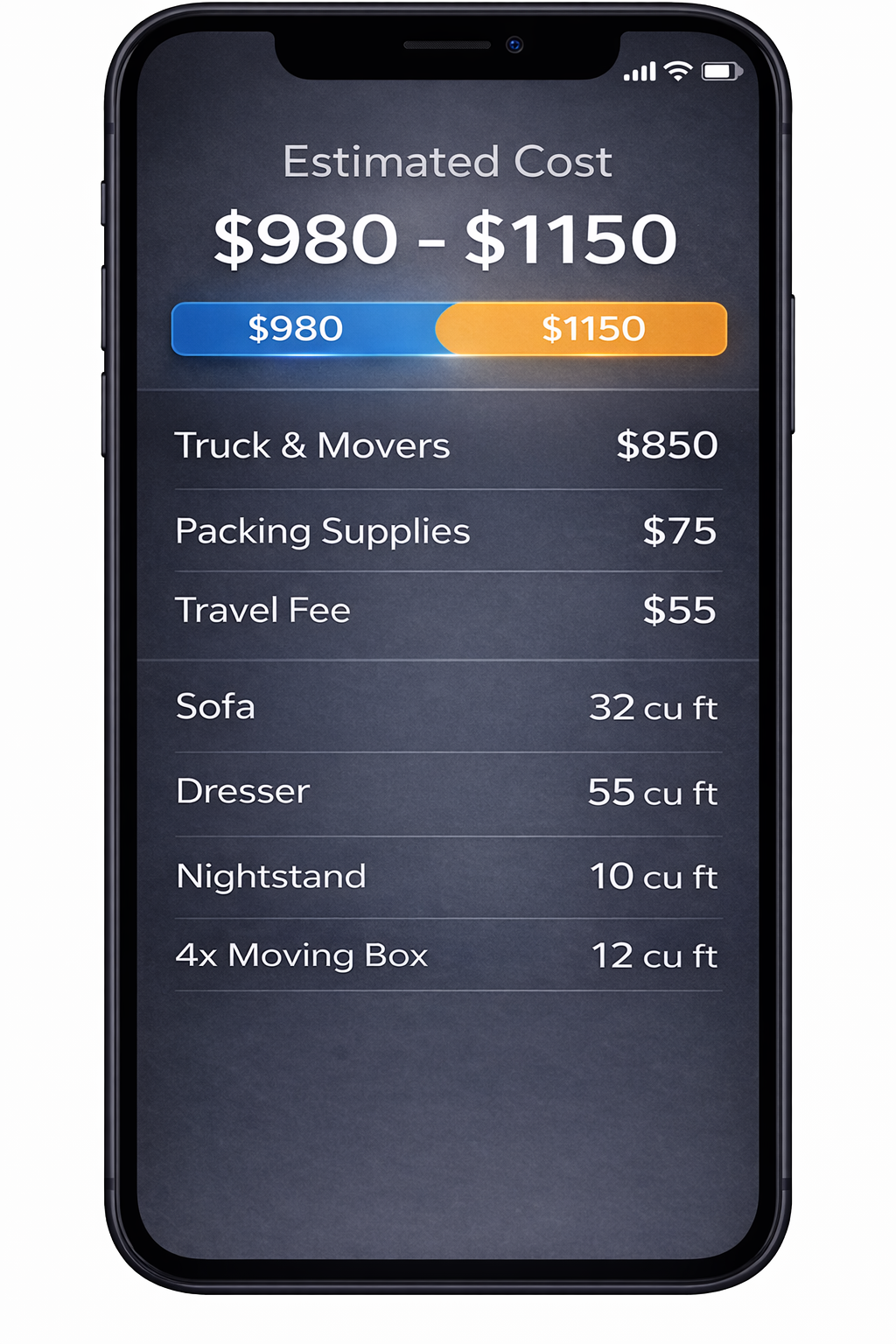
Once your inventory and route are set, a Houston moving estimate usually breaks down into familiar parts. On MoveCost, we organize these so you can see how your number is built: • Labor hours – how many movers, for how many hours, based on your AI inventory and what it means to carry that through your specific buildings or home entrances. • Drive time – time spent on Houston roads between addresses, typically along segments of I‑10, I‑45, 59/69, 610, Beltway 8, or Fort Bend Tollway depending on your route. • Access/time adjustments – extra time for: • Stairs in a townhome off Washington or in the Heights • Elevator waits in Downtown, Greenway Plaza, or the Med Center • Long walks from curb or parking garage to your door in dense complexes • Packing and materials (optional) – if you want help boxing up parts of your home: • Kitchens and fragile rooms • TV and monitor protection • Wardrobe boxes and mattress bags • Special handling – heavy safes, large grills or smokers, big sectionals that might need to be broken down, or yard equipment that needs extra care. On your Houston estimate screen, you can match each of these line items back to something concrete in your scan: the stairs in your townhome, the elevator and loading zone at your Midtown building, or the number of items sitting in your Katy or Sugar Land garage. That clarity makes it easier to compare movers later, because you aren’t left wondering why one estimate is treating your move as “simple” and another is clearly factoring in real‑world complexity.
Houston Heat, Traffic, and Building Access: Why Two Similar Homes Get Different Estimates
If two friends both have 2‑bedroom places in Houston, but one is in a third‑floor walk‑up off 1960 and the other is in a Med Center high‑rise with a loading dock, you’d expect their moving experience to feel different. Your estimate should too. On this page you can call out access factors that commonly change a Houston moving estimate: • Traffic windows: whether your move will hit heavy rush periods on key corridors like I‑10, 45, 59, 610, or Beltway 8. • Heat and weather: summer moves in 95°+ heat can slow stair carries and make crews rotate more often; big storms may demand more floor protection and slower, safer handling. • Elevators vs stairs: Downtown, Galleria, Greenway, and Med Center buildings often have service elevators and docks; older complexes or inner‑loop walk‑ups can pile on stairs and longer walks. • Parking reality: driveway access in Katy or Cypress is different from gated or street‑only parking in Montrose or Midtown, where trucks may have to stage farther away. Because these factors are captured alongside your AI inventory, your estimate stops being a generic “2‑bedroom in Houston” number and starts to reflect your actual route and homes.
Use Your Houston Estimate Across MoveCost’s Other Calculators and Guides
Once your Houston moving estimate is built from an AI inventory, you don’t have to stop here. The same list of items and access details can travel with you: • Into the AI Moving Cost Calculator Online Free hub when you want a national view of costs for your move size. • Into the Moving Cost Calculator by State and City when you’re testing Houston → specific city routes (for example, Houston → Austin, Dallas, San Antonio, or out‑of‑state metros). • Into the State to State Moving Cost Calculator Online when you’re comparing Texas‑to‑other‑state routes that start in the Houston area. • Into the Moving Cost Calculator for 3 Bedroom House or Average Cost to Move a 4 Bedroom House Cross Country when your Houston home is larger and you want to see how you compare to similar‑size moves. • Into the Moving Cost Calculator Including Stairs and Elevator when your Houston move has multiple floors, loft spaces, or high‑rise access that you want to price more precisely. • Into Instant Moving Quotes Without Phone Calls and Compare Moving Company Quotes Instantly Online when you’re ready to turn your estimate into a set of formal quotes without multiple phone interviews. That internal network is deliberate: this Houston page is the local estimate entry point, and those other calculators and hubs link back to the same AI inventory so Google and users both see a single, consistent representation of your move.
How It Works

1. Scan Your Room With Your Phone
Walk around your space and scan your items in seconds.
2. AI Detects Your Items
We identify your items and calculate volume for a clearer estimate.
3. Compare Multiple Quotes
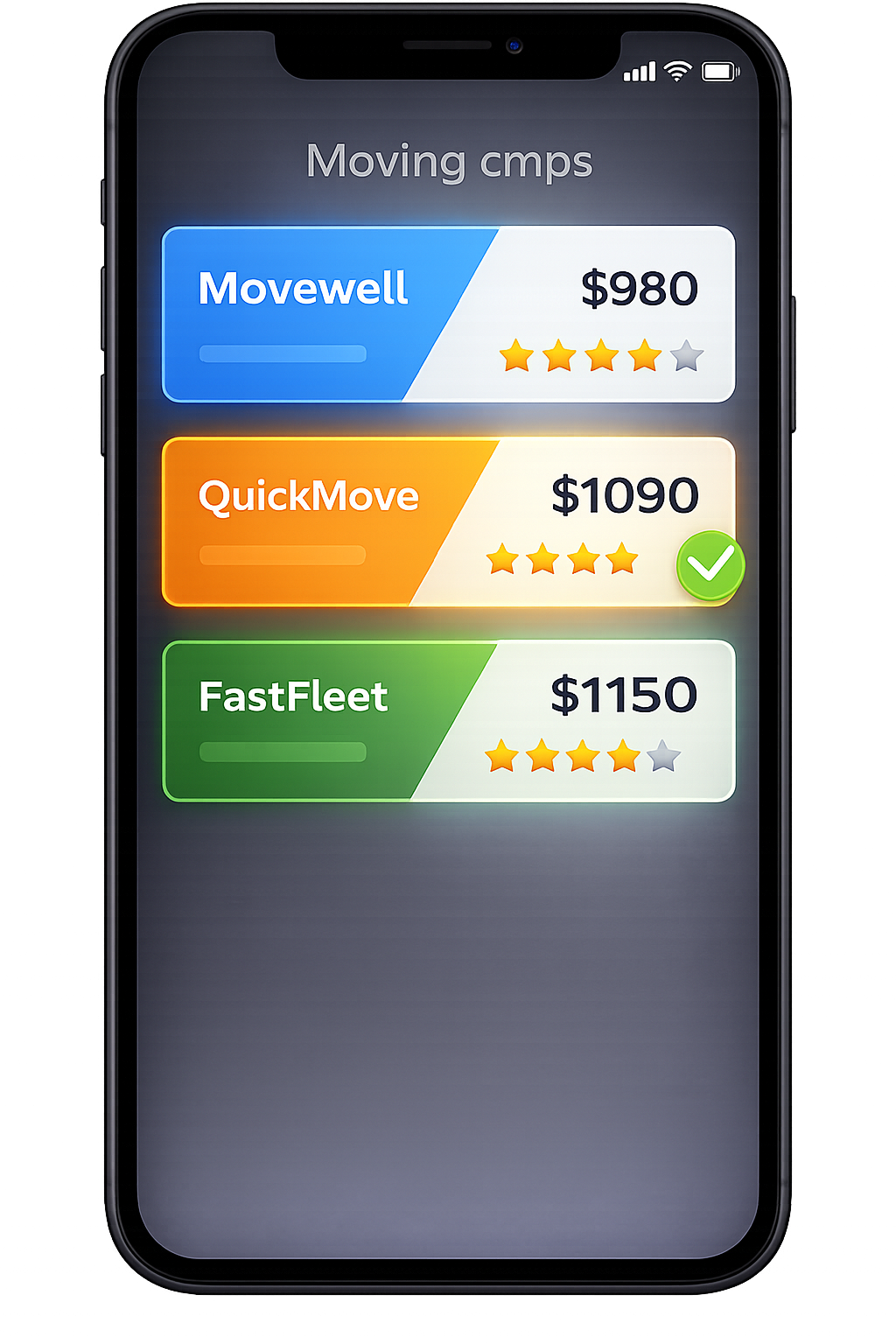
Compare mover quotes for Houston, TX from the same scanned inventory.
Frequently Asked Questions
How is this Houston moving estimate page different from your quote and calculator pages?
This page is focused on moving estimates in Houston—it helps you turn an AI scan of your home into a realistic range that reflects traffic, building access, and route inside and out of the metro. By contrast: The AI Moving Cost Calculator Online Free hub is the central scan page for the whole site. It works for any origin and destination, not just Houston. Instant Moving Quotes Without Phone Calls is about how you receive quotes (quietly, online, without unwanted calls) once your inventory and estimates are ready. Compare Moving Company Quotes Instantly Online explains how to compare offers side by side using one shared inventory. City pages in other markets, like Moving Quotes in Chicago or Moving Quotes in Miami, show how quote comparison feels in those metros. You can think of it this way: Use this Houston page when you want a local estimate that understands I‑10, 610, Beltway 8, stairs, elevators, and common Houston home types. Use the AI hub and comparison pages when you want to see how the same inventory behaves on other routes or in other cities, or when you’re ready to invite movers to quote.
Do I have to run a separate scan for the Houston page and the main AI Moving Cost Calculator?
No. The scan is shared. If you start your AI scan here on the Houston page, that scan becomes part of the AI Moving Cost Calculator Online Free hub automatically. If you start on the AI hub instead, you’ll see the same inventory show up when you come back to this Houston moving estimate page. You only need to: Scan once Keep your inventory up to date as you add or remove items Reuse it across whichever MoveCost tools make sense for your plans—local Houston, state‑to‑state from Texas, home‑size calculators, or comparison/quote pages.
How accurate are Houston moving estimates based on an AI scan?
No estimate can predict every variable, but AI‑based inventories usually get closer to real‑world costs than quick phone descriptions. Accuracy depends on: How completely you scan or list your rooms, garage, patio, and storage Whether your access notes (stairs, elevator, long walks, parking) match reality How much your plan changes after the estimate (selling furniture, adding a storage unit, changing dates) When your inventory and access details stay consistent, many users see final quotes and invoices fall within the Houston estimate ranges they first saw on MoveCost, especially once they move into the more detailed calculator and comparison tools.
What Houston-specific details should I include to get a better estimate?
Alongside your AI inventory, you’ll get the most useful Houston moving estimate if you mention: Whether you’re in a high‑rise or mid‑rise with an elevator, and if you need to reserve it If your complex has a loading dock or specific truck entrance, especially near the Galleria, Downtown, Greenway Plaza, or the Med Center How close movers can realistically park to your door (driveway in Katy or Cypress vs street or garage parking inside the Loop) Any stairs in townhomes off Washington, in the Heights, or near the Museum District Extra stops, like picking up items from a storage unit off 290, I‑10, or 59 These details help the estimate reflect the actual effort involved in getting your belongings in and out, not just how many rooms you have.
Can I use this estimate if I decide to move from Houston to another Texas city or out of state?
Yes. The inventory you build on this page is intended to be reused. If you’re staying in Texas, you can: Plug your AI inventory into tools like the Moving Cost Calculator by State and City to compare Houston → Austin, Dallas, San Antonio, or other in‑state routes. If you’re leaving Texas, you can: Use the State to State Moving Cost Calculator Online to see how your Houston inventory behaves on any Texas‑to‑other‑state route Then move into comparison and quote pages to see what long‑distance movers charge for your specific combination of volume, access, and route Your Houston estimate on this page is just the first, local‑context step in that larger journey.